
.png)
Description
Download WorqHat AI – No‑Code AI App Builder, Free & Secure
Overview
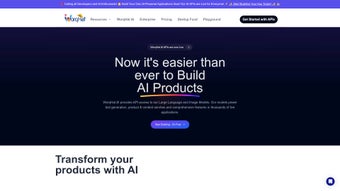
WorqHat AI is a cloud‑based, no‑code platform that empowers anyone—from solo entrepreneurs to large enterprises—to design, launch, and manage custom AI‑powered applications without writing a single line of code. The service leverages the latest generative AI technologies, turning complex machine‑learning models into intuitive drag‑and‑drop components that anyone can assemble in minutes. Whether you need a sales‑assistant chatbot, an automated finance‑report generator, a talent‑sourcing workflow, or an operations‑monitoring dashboard, WorqHat AI offers a visual canvas where you can connect data sources, define logic, and publish fully functional apps instantly.
The ecosystem surrounding WorqHat AI adds a collaborative layer: pre‑built templates, community‑driven components, and expert guidance on model selection and fine‑tuning are all available from within the platform. Security is baked in with dedicated environments, role‑based access controls, encrypted data storage, and compliance‑ready audit logs, making it suitable for regulated industries. Because the tool runs entirely in the browser, there is no costly hardware or lengthy installation—just a simple sign‑up and you’re ready to build.
Continuous updates bring the newest AI research directly to your workspace, ensuring your applications stay cutting‑edge without any manual patches. In short, WorqHat AI democratizes AI development, turning sophisticated technology into an accessible, secure, and scalable solution for businesses that want to automate processes and enhance decision‑making.
Key Features & Capabilities
WorqHat AI’s feature set is designed to cover the entire lifecycle of AI application development—from conception to deployment and ongoing optimization. The platform’s visual builder eliminates the need for programming, while the underlying infrastructure automatically scales to meet demand. Below is a curated list of the most impactful capabilities, followed by deeper insight into how each can be leveraged in real‑world scenarios.
- Drag‑and‑Drop No‑Code Builder: Assemble AI workflows visually, connecting inputs, models, and outputs without writing code.
- Generative AI Engine: Access large language models (LLMs) and image‑generation models for text, code, and visual content.
- Pre‑Built Industry Templates: Ready‑made solutions for Sales, Marketing, Finance, HR, Operations, and more.
- API Connector Hub: Seamlessly integrate external databases, CRMs, ERPs, and custom APIs with one click.
- Secure Multi‑Tenant Architecture: Role‑based permissions, encryption at rest and in transit, and audit trails for compliance.
- Model Fine‑Tuning & Selection: Guided assistance from AI experts to choose and refine models for specific use cases.
- Collaboration Marketplace: Community of creators sharing reusable components, widgets, and best‑practice workflows.
- Real‑Time Analytics Dashboard: Monitor usage, performance, and ROI directly within the platform.
- Scalable Cloud Infrastructure: Automatic scaling handles traffic spikes without manual provisioning.
- Cross‑Platform Accessibility: Web‑based interface works on Windows, macOS, Linux, Android, and iOS.
Beyond the checklist, the API hub supports OAuth, API keys, and webhook configurations, allowing you to pull customer records from Salesforce, financial data from QuickBooks, or employee information from Workday in real time. Once data is inside WorqHat AI, you can apply AI models for sentiment analysis, predictive forecasting, image classification, or chatbot interactions, all without worrying about the underlying infrastructure.
The “Creator Marketplace” further accelerates development. Power users publish reusable components—such as a “Lead Scoring Engine” or an “Invoice Auto‑Classifier”—that can be imported into any project with a single click. Built‑in version control tracks changes, enables rollbacks, and supports team collaboration, ensuring AI applications evolve safely and predictably.
Installation, Compatibility, Pros & Cons, and FAQ
Getting Started in Minutes
WorqHat AI is a fully hosted SaaS solution, so there is no traditional installation. To begin, visit the official website, click “Start Free Trial,” and complete a short registration form. After email verification, you are taken to the dashboard where you can select a starter template or launch a blank canvas. An onboarding wizard guides you through connecting your first data source, selecting an AI model, and publishing a simple chatbot in under ten minutes.
Step‑by‑Step Workflow
- Sign Up & Verify: Provide a business email, set a strong password, and confirm your account.
- Select a Template: Browse categories (e.g., Sales Assistant, Finance Reporter) and click “Use Template.”
- Connect Data Sources: Use the API Connector Hub to link CRM, ERP, or custom databases.
- Configure AI Model: Choose a pre‑trained LLM or image model; request fine‑tuning if needed.
- Design Workflow: Drag components (input forms, decision nodes, API calls) onto the canvas and define logic.
- Test & Iterate: Use the built‑in simulator to run test cases, view logs, and adjust parameters.
- Publish: Deploy the app to a web endpoint, embed in your website, or generate a mobile link.
- Monitor & Optimize: Access the analytics dashboard to track usage, latency, and cost.
Operating System Compatibility
Because WorqHat AI is web‑based, it runs on any modern browser (Chrome, Edge, Firefox, Safari). It is fully compatible with Windows 10/11, macOS Ventura and later, major Linux distributions, as well as mobile browsers on Android 8.0+ and iOS 13+. No client‑side hardware requirements make it ideal for remote teams and BYOD environments.
Pros
- Zero‑code development dramatically reduces time‑to‑market.
- Extensive library of pre‑built templates for multiple business domains.
- Robust security with role‑based access, encryption, and audit logs.
- Scalable cloud infrastructure handles enterprise‑level workloads.
- Active creator marketplace accelerates innovation and reuse.
- Cross‑platform accessibility; works on any device with a browser.
- Dedicated AI expert support for model selection and fine‑tuning.
Cons
- Pricing tiers can become expensive for very large data volumes.
- Advanced customizations may still require some technical knowledge.
- Dependence on internet connectivity; offline use is not supported.
- Learning curve for non‑technical users when navigating complex AI models.
- Limited on‑premise deployment options for highly regulated industries.
Overall Rating: 4.5/5 – WorqHat AI delivers a powerful, user‑friendly solution for building AI applications without code. The platform’s breadth of features, security focus, and collaborative marketplace make it a standout choice for businesses aiming to automate processes quickly. While the cost can rise for high‑volume usage and some advanced tweaks may need technical input, the value—especially the speed of deployment and built‑in AI expertise—far outweighs these drawbacks.
Frequently Asked Questions
Is WorqHat AI really a “no‑code” platform?
Yes. The visual builder lets you create AI‑driven workflows by dragging components, configuring settings, and linking data sources—all without writing code. Advanced users can still add custom scripts, but it’s optional.
What kind of AI models can I access?
WorqHat AI offers large language models (similar to GPT‑4) and image‑generation models (like Stable Diffusion). You can also connect to third‑party models via the API hub.
How does the platform ensure data security?
Security is built into every layer: data is encrypted at rest and in transit, role‑based access controls limit who can view or edit projects, and detailed audit logs are available for compliance. Each organization receives an isolated environment.
Can I integrate WorqHat AI with my existing CRM?
Absolutely. The API Connector Hub supports OAuth, API keys, and webhooks, making it easy to pull data from Salesforce, HubSpot, Zoho, or any RESTful service directly into your AI workflows.
What pricing options are available?
WorqHat AI offers a free tier with limited API calls, a “Professional” plan for growing teams, and an “Enterprise” plan with unlimited usage, dedicated support, and SLA guarantees. Detailed pricing is listed on the website.
Conclusion & Call to Action
WorqHat AI stands out as a comprehensive, secure, and truly no‑code solution for building AI‑enhanced applications across a wide spectrum of business needs. Its visual builder, extensive template library, and collaborative marketplace empower non‑technical users to launch sophisticated AI tools in days rather than months. While large enterprises should evaluate the cost structure for high‑volume scenarios, the platform’s scalability, continuous updates, and expert support make it a future‑proof investment.
If you’re ready to accelerate digital transformation, eliminate repetitive manual tasks, and unlock the power of generative AI without hiring a team of developers, download WorqHat AI today. Start with the free tier, explore the template gallery, and experience how quickly you can turn ideas into intelligent, automated solutions.
Guides & Tutorials for WorqHat AI
How to install WorqHat AI
- Click the Preview / Download button above.
- Once redirected, accept the terms and click Install.
- Wait for the WorqHat AI download to finish on your device.
How to use WorqHat AI
This software is primarily used for its core features described above. Open the app after installation to explore its capabilities.
User Reviews for WorqHat AI 0
No reviews found




